Stripe Form Plugin
If you want to get online payments you can use Stripe plugin. Fro that Stripe account and some settings is needed.
Before get real payments you need to connect your Stripe account to working properly with Brixy App.
Enter given account ID after registration. Find on this link.
To test settings need to use Sandbox mode and test_sk_key. Enter in test mode and get key from tab API keys on this link.
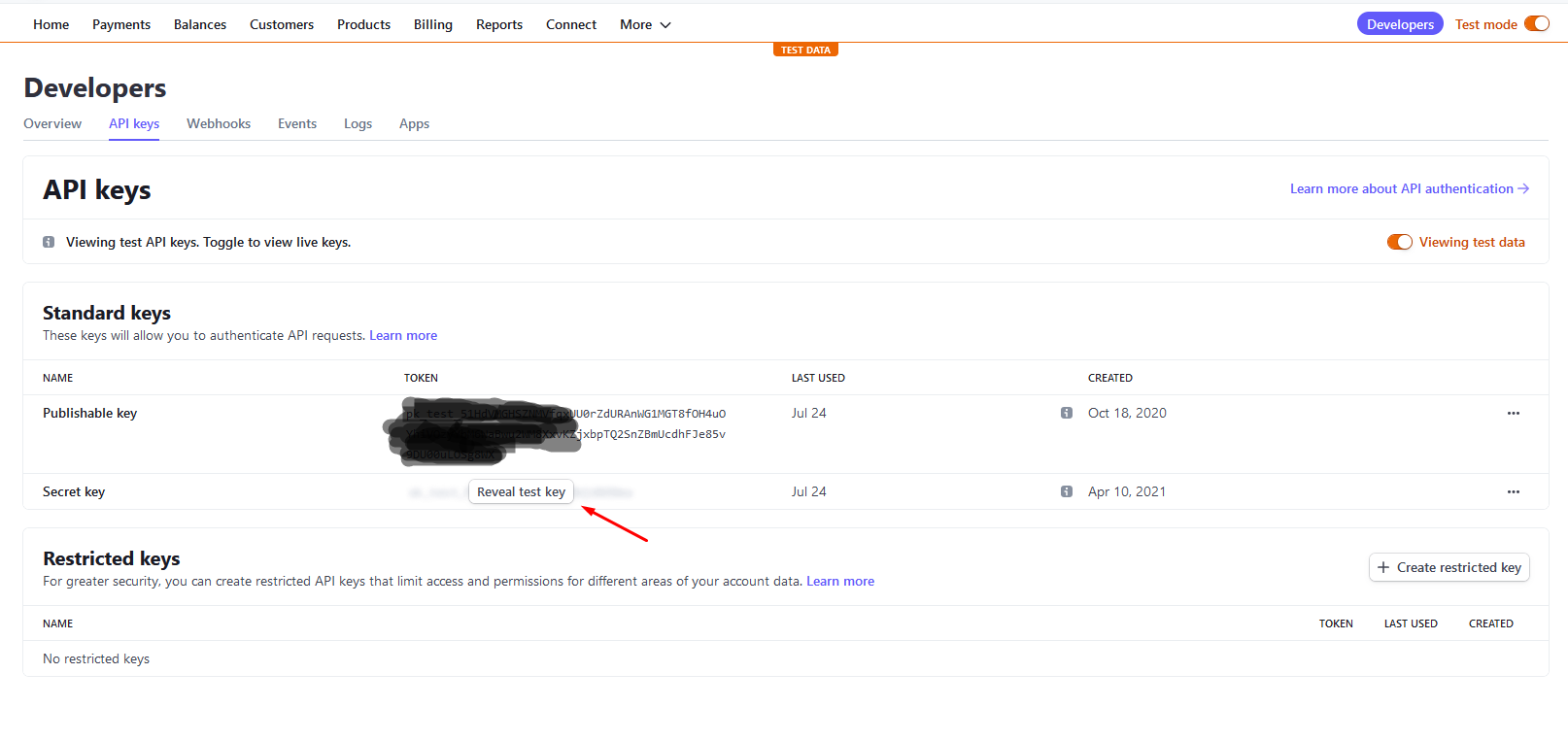
For test payment follow this link or use:
card number: 4242 4242 4242 4242
date: 12/34
CVC: Use any three-digit (four digits for American Express cards).
Use any value you like for other form fields.
In order to complete the payment process, it is necessary to set a item name and an amount for the user to pay.
The amount can be entered in the Price field or evaluate the php code and then return a number or select a form item to get the Stripe payment amount. Selected element value will be override Price area input! This parameter is required and must be e number! It cannot be 0!
Item name can be entered in Item field or evaluate php code and then return number or select form element to get the amount for Stripe payment. If this parameter is leave empty then the string 'Item' will be used. Selected element value will be override Item area input!
Can use placeholders in Price code area and in Item code area(when eval option is enabled).
After Payment Success can run additional php code entered in After success area code. This is optional. Can use placeholders and access another data:
$el = '{db2__users___password}';
$debug_data = [
    'el' => $el,
    'name' => '{name}',
    'stripe_params' => $stripe_params,
    'stripe_session' => $stripe_session,
    'form_data' => $stripe_params['form_data'],
    'user_data' => $stripe_params['user_data'],
    'row_id' => $stripe_params['row_id'],
    'transaction_id' => $stripe_session->id,
    'recipient_email' => $stripe_session->receipt_email,
    'payment_id' => $stripe_session->payment_intent,
];
p($debug_data);exit;
In addition, form elements can be selected to directly save the basic payment data: transaction_id, paiment_id, recipient_email.
If the Success Message field is left blank, the text Payment is successful. will be displayed.
If the Success Redirect field is left blank, the Homepage will be opened.